
ChatGPT 词汇训练师
在真实的 AI 对话中练习你保存的词汇单词。Shchebitka 将你的个人单词列表连接到 ChatGPT——每次练习课都围绕你选择学习的那些具体单词展开。
如何将 Shchebitka 连接到 ChatGPT
在 ChatGPT 中找到 Shchebitka
在 ChatGPT 中进入 Apps,搜索 "Vocabulary trainer" 或 "Shchebitka"。点击 Vocabulary Trainer Shchebitka 将其连接。
Open Shchebitka in ChatGPT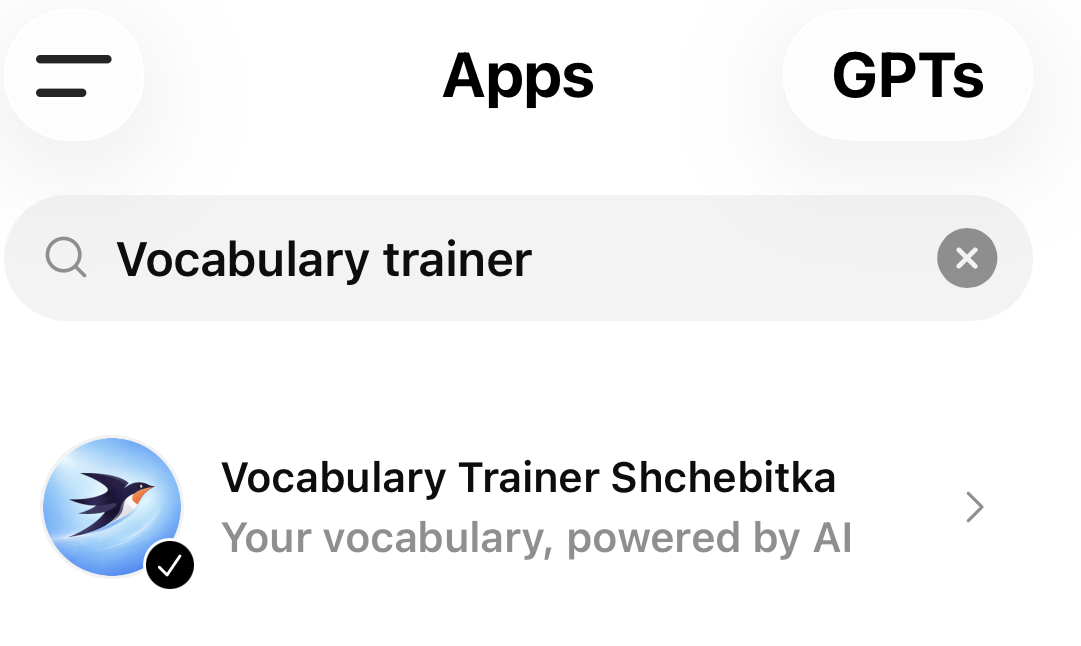
连接并登录
在提示时点击 "Connect"。你将被重定向到登录页面。如果还没有账户,点击 "注册" 创建一个。
如有需要请确认邮箱
注册后,检查收件箱中的确认邮件并点击其中的链接以激活账户。
开始新对话
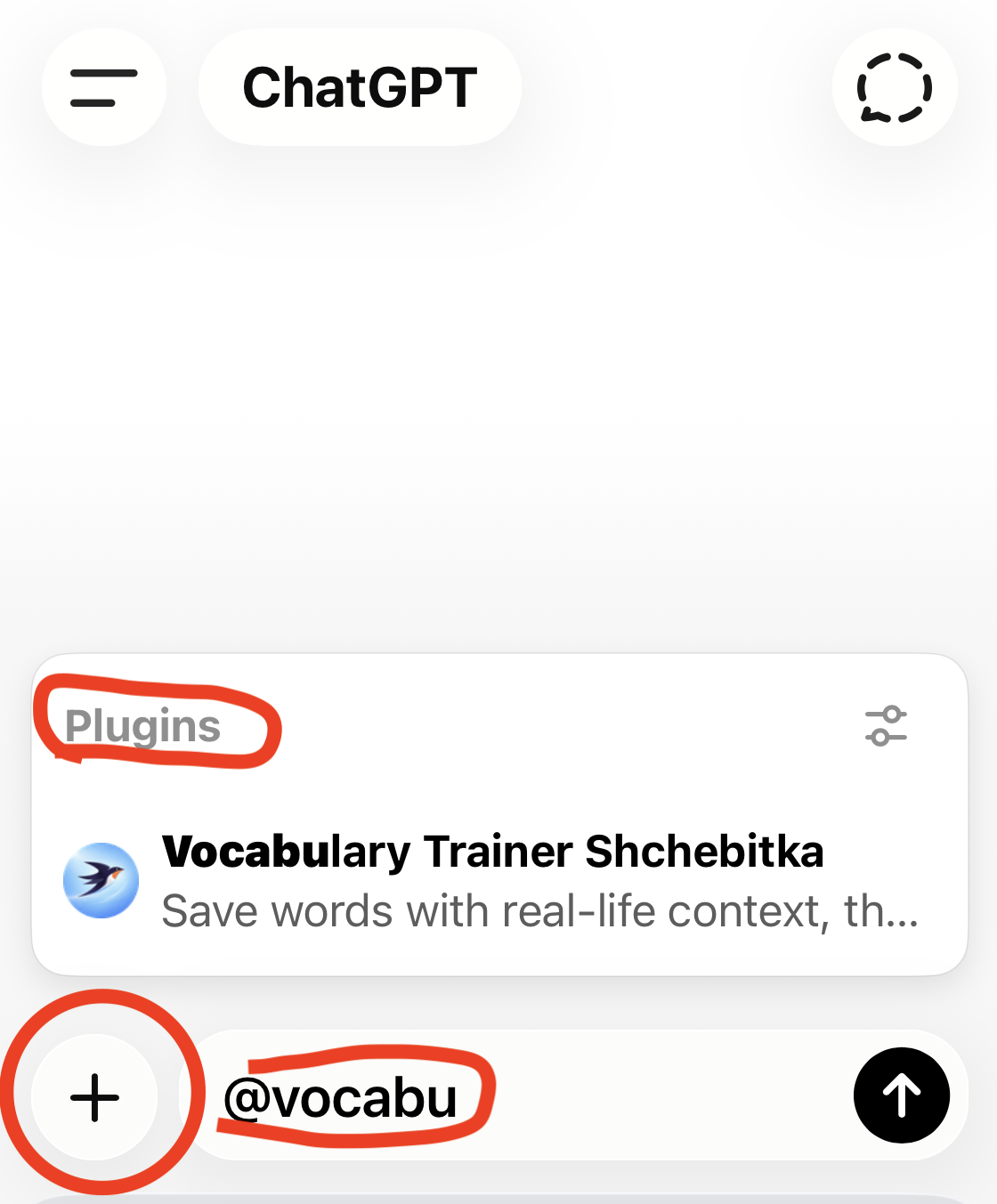
连接后,开始新对话。点击 + 按钮添加插件,然后输入 "Shchebitka" 来附加词汇训练器。
尝试第一个提示
输入 "Tell me more about vocabulary"、"Show my vocabularies" 或 "Create a new vocabulary" 开始使用。
可以尝试的示例提示
- ›显示我的词汇列表(全部)
- ›创建新的词汇列表 Weather
- ›打开我的词汇列表 Weather
- ›显示词汇列表 Weather 中的所有单词
- ›为我的词汇列表 Weather 生成 10 个单词
- ›为我的词汇单词生成语境
- ›为我的词汇 Weather 中的每个单词添加一个问题
- ›从我的词汇 Weather 中生成一个故事
正在使用语音模式?
并非所有 ChatGPT 语音模型都支持工具调用,因此 Shchebitka 在语音对话期间可能无法访问你的词汇表。如果发生这种情况,请切换到语音模型 Standard:打开你的 用户资料 → 语音 → 语音模型,然后选择 Standard.
提示:切换到语音模式之前,先让 ChatGPT 显示你的单词列表。这会将你的词汇加载到对话上下文中,使语音模式可以引用它。
为什么用 ChatGPT 练习词汇
对话语境
你在真实的句子和对话中练习单词,而不仅仅是定义。语境能显著提高长期记忆效果。
即时反馈
ChatGPT 实时纠正错误并解释用法,就像一位耐心的语言辅导老师,全天候为你服务。
你的单词,而非通用列表
与拥有固定词汇课程的语言应用不同,Shchebitka 练习的是你实际遇到并想学习的单词。
Explore more
Save Words While Browsing
One-click word capture with the Chrome extension.
AI Vocabulary Flashcards
Flashcards built from your own saved word list.
Personal Vocabulary List
Organise words with translations, context, and definitions.
Printable Worksheets
Generate print-ready study sheets from your vocabulary.
FAQ
Common questions about Shchebitka answered.